
An electronic device does not necessarily reach the end of its value when it is removed from active use.
A laptop may be replaced because a business is upgrading its technology. A server may be retired because a data centre is being modernised. A printer may be replaced because it no longer meets operational requirements.
But being retired does not automatically mean being unusable.
After retirement, an electronic device can follow several different pathways depending on its condition, age, technical specifications, data security requirements and remaining value.
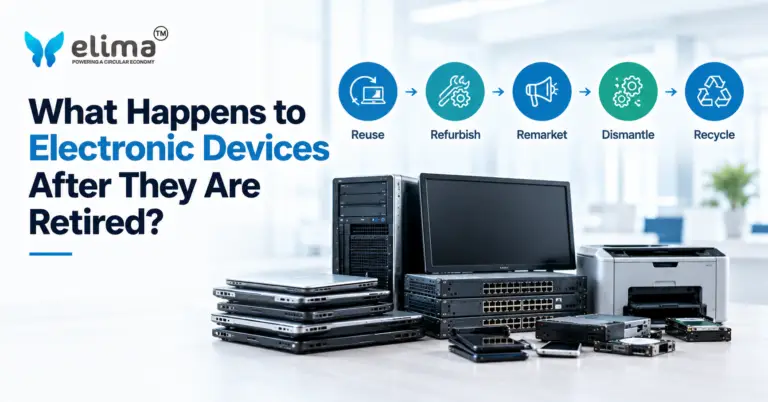
It may be reused, refurbished, remarketed, dismantled or recycled.
Understanding what happens after retirement is an important part of IT Asset Disposition (ITAD) and responsible e-waste management.
Table of Contents
ToggleAn electronic device is generally considered retired when an organisation or individual removes it from active use.
This can happen for many reasons:
Importantly, retirement is not the same as physical end-of-life.
A laptop can be retired from one organisation and still have several years of useful life remaining.
Businesses often replace equipment for operational reasons rather than because the equipment has completely stopped working.
For example, an organisation may replace laptops after a defined technology refresh cycle.
The old laptops may still have:
This creates an opportunity for reuse or refurbishment.
The same principle applies to servers, networking equipment, monitors and other electronics.
The first question should therefore be:
Can this asset still provide value as a product?
If the answer is yes, reuse or refurbishment may be appropriate.
If not, the next question becomes:
Can its materials be recovered?
A typical asset journey may look like this:
Retirement
↓
Asset Identification
↓
Secure Collection
↓
Data Sanitisation
↓
Condition Assessment
↓
Reuse / Refurbishment / Remarketing
↓
Dismantling
↓
Material Recovery and Recycling
Not every asset follows every stage.
A functional laptop may move from assessment directly into refurbishment and reuse.
A severely damaged device may move towards dismantling and material recovery.
The objective is to determine the most appropriate pathway for each asset.
The first step is to establish exactly what has been retired.
Businesses may record information such as:
This information provides a record of what has entered the disposition process.
For organisations managing hundreds or thousands of devices, accurate asset records become particularly important.
Once equipment is retired, it needs to be collected and transferred in a controlled manner.
A structured collection process can include:
This helps maintain visibility between the organisation’s premises and the facility where the equipment will be assessed.
For IT equipment, one of the most important stages is dealing with stored information.
Retired laptops, desktops, servers, hard drives and storage devices may contain sensitive information even after they have been removed from an organisation’s network.
Depending on the device and business requirements, the process can involve:
The selected method should depend on factors such as the storage technology, sensitivity of information and intended future use of the device.
Data security should therefore be addressed before the device moves into reuse, refurbishment or resale.
After data handling, the device can be assessed to determine what should happen next.
The assessment may consider:
This creates a basis for determining whether the device should be reused, refurbished, remarketed or recycled.
Sometimes the simplest outcome is continued use.
An organisation may redeploy a device internally if it still meets the requirements of another employee, department or location.
For example, a laptop that is no longer suitable for a software development team may still be suitable for administrative work.
Internal redeployment can therefore extend the useful life of equipment without requiring major intervention.
If a device requires repairs before it can be reused, it may enter refurbishment.
Refurbishment can involve:
Once refurbishment is complete, the equipment can be tested again before being redeployed or introduced into a secondary market.
Refurbishment is particularly relevant when the core equipment remains technically viable but requires some work to become usable again.
Some retired equipment may still have market value.
Suitable devices can be remarketed through appropriate channels after necessary data security and quality checks.
Potentially remarketable assets can include:
The value depends on factors such as age, specifications, condition, brand, demand and market requirements.
Remarketing allows the product itself to retain value rather than immediately reducing it to material value.
Not every device can or should be refurbished.
When an asset is no longer suitable for continued use, it can move into dismantling and material recovery.
Electronic devices contain a range of recoverable materials, including:
During dismantling, different components are separated so that they can enter appropriate recovery pathways.
This is where an electronic product transitions from being an asset to being a source of secondary raw materials.
The final pathway for many end-of-life devices is recycling.
Recycling involves processing recovered components and materials so that suitable materials can be returned to manufacturing or other appropriate applications.
Different materials follow different recovery processes.
For example:
Copper-containing components → copper recovery
Plastic housings → plastic recovery and processing
Steel components → ferrous metal recovery
Aluminium components → aluminium recovery
The exact recovery pathway depends on the material composition and processing capability.
There is no single answer for every retired electronic device.
A practical decision framework can look like this:
Asset Condition | Potential Pathway |
Fully functional and still useful | Reuse or redeployment |
Functional but requires repairs | Refurbishment |
Functional but no longer required internally | Remarketing |
Damaged but contains recoverable components | Component recovery |
Beyond practical repair | Dismantling and recycling |
Materials remain recoverable | Material recovery |
The important point is that age alone should not determine the outcome.
An older device may still have considerable product value, while a relatively new but severely damaged device may be more suitable for material recovery.
When an electronic device reaches the recycling stage, its value changes from product value to material value.
A single device may contain several different material streams.
Electronic equipment can contain copper, aluminium, steel and other metals.
These materials can be separated and processed through appropriate recovery systems.
Plastic housings and components can potentially be sorted by polymer type and processed into recycled material where technically suitable.
Printed circuit boards contain a mixture of materials and can undergo specialised recovery processes.
Some components may have reuse or recovery value depending on their condition and application.
The objective of material recovery is to separate these streams rather than treating the entire device as one material.
A responsible asset disposition process should provide visibility into what happens to equipment after collection.
Businesses may need to know:
This is particularly important for organisations managing sensitive data or large volumes of equipment.
Traceability turns asset retirement into a documented process rather than an information gap.
IT Asset Disposition (ITAD) provides the broader framework for managing retired IT equipment.
It connects several activities:
Asset management
→ Collection
→ Data security
→ Assessment
→ Reuse
→ Refurbishment
→ Remarketing
→ Recycling
→ Material recovery
This means ITAD is not simply another name for recycling.
Recycling can be one outcome within an ITAD programme, but the wider objective is to manage the asset appropriately from retirement through its final disposition.
At ELIMA, retired IT assets can be assessed to determine the most appropriate next step based on their condition and recovery potential.
Where equipment is suitable, refurbishment and continued use can help extend its useful life. Where an asset is no longer suitable for reuse, it can move into appropriate dismantling, recycling and material recovery pathways.
This approach connects ITAD, refurbishment and material recovery instead of treating every retired device as an immediate recycling candidate.
For businesses, this provides a more structured way to manage retired equipment while maintaining visibility across the asset’s journey.
The key principle is simple:
Retirement should be the beginning of the next stage of an asset’s lifecycle, not the end of its story.
1. What happens to electronic devices when they are retired?
They are typically assessed to determine whether they can be reused, refurbished, remarketed, dismantled or recycled.
2. Are retired electronics always recycled?
No. Functional equipment may be reused, refurbished or remarketed before recycling is considered.
3. What happens to data on retired laptops and computers?
Data should be securely sanitised or, where appropriate, the storage media should be physically destroyed before the equipment is reused, transferred or recycled.
4. Can old electronics be refurbished?
Yes. If the core hardware remains viable and repairs are technically and economically practical, equipment can often be refurbished.
5. What happens to electronics that cannot be refurbished?
They can enter dismantling and recycling processes, where materials such as metals and plastics can be separated and recovered.
6. What is the difference between ITAD and recycling?
ITAD is the broader process of managing retired IT assets. Recycling is one possible outcome when equipment is no longer suitable for reuse or refurbishment.
7. Why should businesses track retired electronic equipment?
Tracking provides visibility over assets, supports data-security controls and helps document what happened to equipment after it left active use.
An electronic device does not necessarily lose all of its value when it is retired. Depending on its condition, it may have another life through reuse, refurbishment or remarketing. When continued use is no longer practical, its materials can still have value through dismantling and recycling.
For businesses, the important part is having a structured process that determines the right pathway for each asset while maintaining data security and traceability.
A retired device may no longer belong in the organisation’s IT environment, but that does not mean its lifecycle has ended. With the right approach, its next chapter can begin through reuse, refurbishment or material recovery.